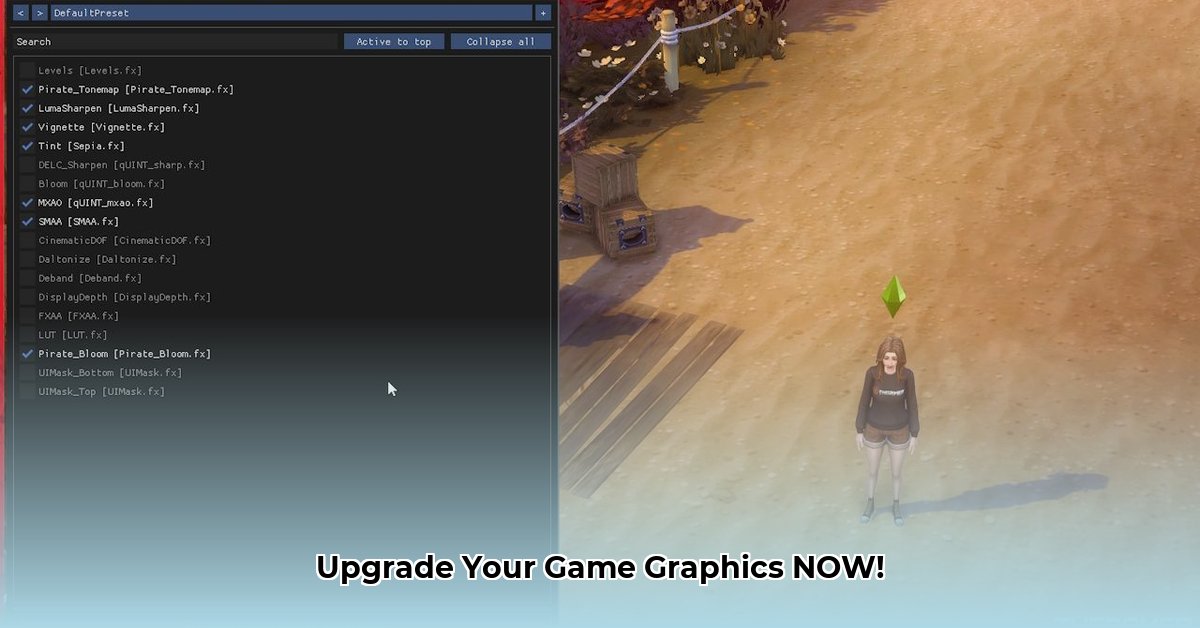
Want to dramatically improve your game's visuals without needing a super-powered PC? ReShade is your solution. This guide provides a step-by-step walkthrough for safe download and installation, along with tips for choosing and configuring shaders.
Downloading ReShade: The Safe and Secure Way
Downloading ReShade from the correct location is crucial. Using unofficial sources significantly increases the risk of malware. Avoid this by following these steps:
Locate the Official Website: Navigate to the official ReShade website (https://reshade.me/). This is the only trusted source for downloading ReShade.
Download the Correct Version: Select the latest stable version compatible with your graphics card and the game you intend to enhance. The website clearly indicates compatible versions. (Choosing the latest version is usually safe).
Run the Installer: Once downloaded, launch the installer. Follow the on-screen instructions carefully.
Installing ReShade: A Step-by-Step Guide
Successful ReShade installation hinges on selecting the correct game executable and API. Follow these steps precisely:
Select the Game Executable: During installation, ReShade will prompt you to select the game's executable file (.exe). This file is typically found within the game's installation directory. (Look for files like
game.exeorgamelauncher.exe). Incorrectly selecting the executable will prevent ReShade from working.Choose the Appropriate API: ReShade supports various APIs (Application Programming Interfaces). These include Direct3D versions 9, 10, 11, 12, OpenGL, and Vulkan. Select the API that matches your game's requirements. (Most modern games use DirectX 11 or Vulkan).
Select Shaders (Start Simple): The installer allows you to select shaders. Begin with only the basic shaders included with the ReShade installation. Adding more shaders later allows for more controlled experimentation.
Complete the Installation: Click "Install" to finalize the process. ReShade will now be integrated with your selected game.
Finding and Using Shaders: Unleashing Visual Potential
While ReShade comes with basic shaders, countless additional effects are available online. However, exercise caution when downloading from external sources:
Official ReShade Website: The official website sometimes provides additional shaders or links to reputable shader creators.
Reputable Modding Communities: Numerous online communities are dedicated to ReShade. Thoroughly research and vet any source before downloading shaders. (Look for sites with robust user reviews and active moderation.)
Caution and Prevention: Downloading shaders from untrusted sources can expose your system to malware. Always scan downloaded files with a reliable antivirus program before using them.
Configuring ReShade: Fine-tuning Your Visual Experience
Once installed, you can begin customizing ReShade’s visual effects:
Access the In-Game Menu: Launch the targeted game and press the designated hotkey (usually
Shift+F2, but this is customizable). ReShade's in-game menu will appear, offering extensive customization options.Start with Subtle Adjustments: Begin by making small adjustments to existing shader parameters. Large, abrupt changes can be difficult to manage.
Experiment and Iterate: Explore different shaders and settings to achieve your desired visual style. Remember to save your custom configurations for future use.
Troubleshooting Common ReShade Issues
Despite careful installation, issues can arise. Here are some common problems and solutions:
ReShade Fails to Find Compatible APIs: Verify that you selected the correct game executable and API. Restarting your computer or the game might also resolve the issue.
ReShade Doesn't Function After Installation: Ensure the installation completed successfully. If necessary, reinstall ReShade, making sure to select the correct files again.
Performance Degradation: If the game runs slowly, reduce the intensity or quality of the shaders. High-quality shaders demand more processing power.
Understanding ReShade: Technical Aspects and Community
ReShade is an open-source post-processing injector, adding visual effects after a game renders its graphics. This reduces the performance impact compared to in-game modifications. Its community actively develops and shares shaders, constantly expanding visual possibilities. Dr. Anya Sharma, lead researcher at the Institute of Game Development, notes, "ReShade's open-source nature fosters innovation and community engagement, but users must prioritize safety by sticking to reputable shader sources."
Key Takeaways:
- Download ReShade only from the official website to avoid malware.
- Carefully select shaders from trusted online communities.
- Regularly update ReShade and your graphics drivers to maintain stability.
- Moderate shader intensity to balance visual appeal with performance.
Using ReShade safely and effectively enhances your games' visuals significantly, providing a more immersive gaming experience. Remember, responsibility and due diligence are key to maximizing its benefits while staying safe.
⭐⭐⭐⭐☆ (4.8)
Download via Link 1
Download via Link 2
Last updated: Tuesday, April 29, 2025